
Rivian’s 2025.46 update is a meaningful release for both Gen 1 and Gen 2 R1 vehicles. Gen 2 is clearly the focus this time, introducing Rivian’s most advanced driver assistance features to date, while Gen 1 receives solid refinements aimed at improving everyday usability, navigation behavior, charging reliability, and overall stability. Below is a simple breakdown of what’s coming to each generation.
Gen 1 R1T and R1S
- Customizable driver display that lets you switch between the Driver Assistance view and a full Maps and Navigation view using the right steering wheel thumbwheel
- Automatic fallback to the Driver Assistance view when Highway Assist is active or Park Assist sensors are triggered
- Navigation improvements that zoom out when not actively routing, showing more map context like buildings and parking areas
- Ability to briefly select alternate routes when starting navigation from Home, Work, or a search result
- Faster loading performance in the Navigation app
- Drive mode refinements that save Regen settings per drive mode
- Charging fixes that address scheduled charging failures, charge session stop issues, DC fast charging unplug problems, and incorrect charge status indicators
- Improved SiriusXM loading performance
- Better passive entry reliability, including improvements specific to iPhone 17
- Fixes for rare phone proximity issues and Rivian mobile app drive mode syncing
- A fix for a rare 12 V battery drain issue when the vehicle wakes from sleep
Gen 2 R1T and R1S
- Universal Hands-Free driving on marked roads, allowing hands-free steering, braking, and acceleration while monitoring driver attention
- Support for more than 3.5 million miles of mapped roads across North America
- New Autonomy Drive Styles, Mild, Medium, and Spicy, allowing drivers to choose relaxed, balanced, or more dynamic driving behavior
- Updated speed control that lets you adjust set speed using the right steering wheel thumbwheel while in hands-free or assisted driving modes
- Customizable driver display that toggles between the Autonomy view and Maps and Navigation view
- Enhanced Autonomy visualization that zooms out to show more area behind the vehicle for better situational awareness during lane changes and turns
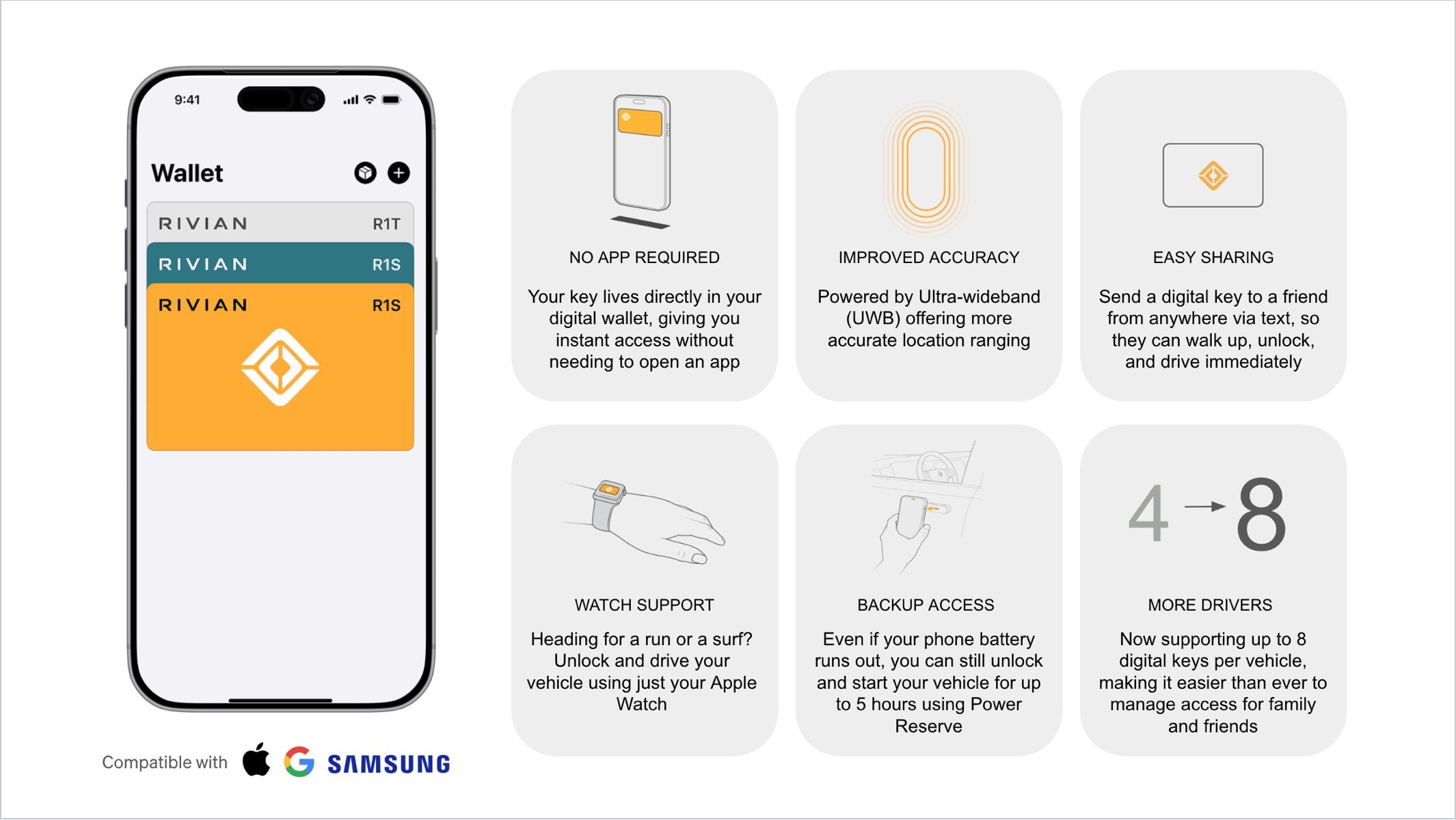
- New Rivian Digital Key support through native wallet apps on iPhone, Apple Watch, Google Pixel, and Samsung devices, with UWB accuracy, NFC backup access, and easy key sharing
- Expanded RAD Tuner for Quad-Motor vehicles, allowing deep customization of acceleration, regen, steering, suspension, torque balance, stability, and more
- Navigation improvements similar to Gen 1, including better map context, alternate route selection, and faster loading
- Enhanced throttle control in Soft Sand, Rally, and Drift modes for more precise vehicle handling
- Improved AC charging stability, especially in cold weather conditions
- Improved SiriusXM performance and passive entry reliability
- Fixes for rare cold weather 12 V battery issues and liftgate behavior
Read the full release notes here for 2025.46



The second bullet under Gen 2 says 3.5 million miles of “mapped” roads. My understanding was that this update was moving away from “pre-mapped” roads and was opening the system to anywhere with visual lane markers. Could you clarify as to whether the system is “pre-mapped” or not?
It should say unmapped
Jose, do you know when this update is coming out? I was hoping to get the most out of while we travel next weekend because of the break!!
Scheduled for next week
I’ll be curious to see how the Autonomy Drive Styles are actually implemented. The release notes seem to tie both gap distance and lane-changing styles together, which feels limiting. In rush-hour traffic, it would be helpful to reduce the gap distance and limit how often someone cuts me off, but I don’t need the vehicle to ALSO change lanes at the speed of light.
Correct but right now the vehicle won’t change lanes for you, it requires you to initiate.
Will the map tell me what town I’m driving through? Tesla does this and it’s very useful info.
Sadly no, I really want this feature.
I agree. Such a simple UI element but very useful.
Would be nice if they’d release it in time to actually download it before Christmas. They wait until last minute for everything.