
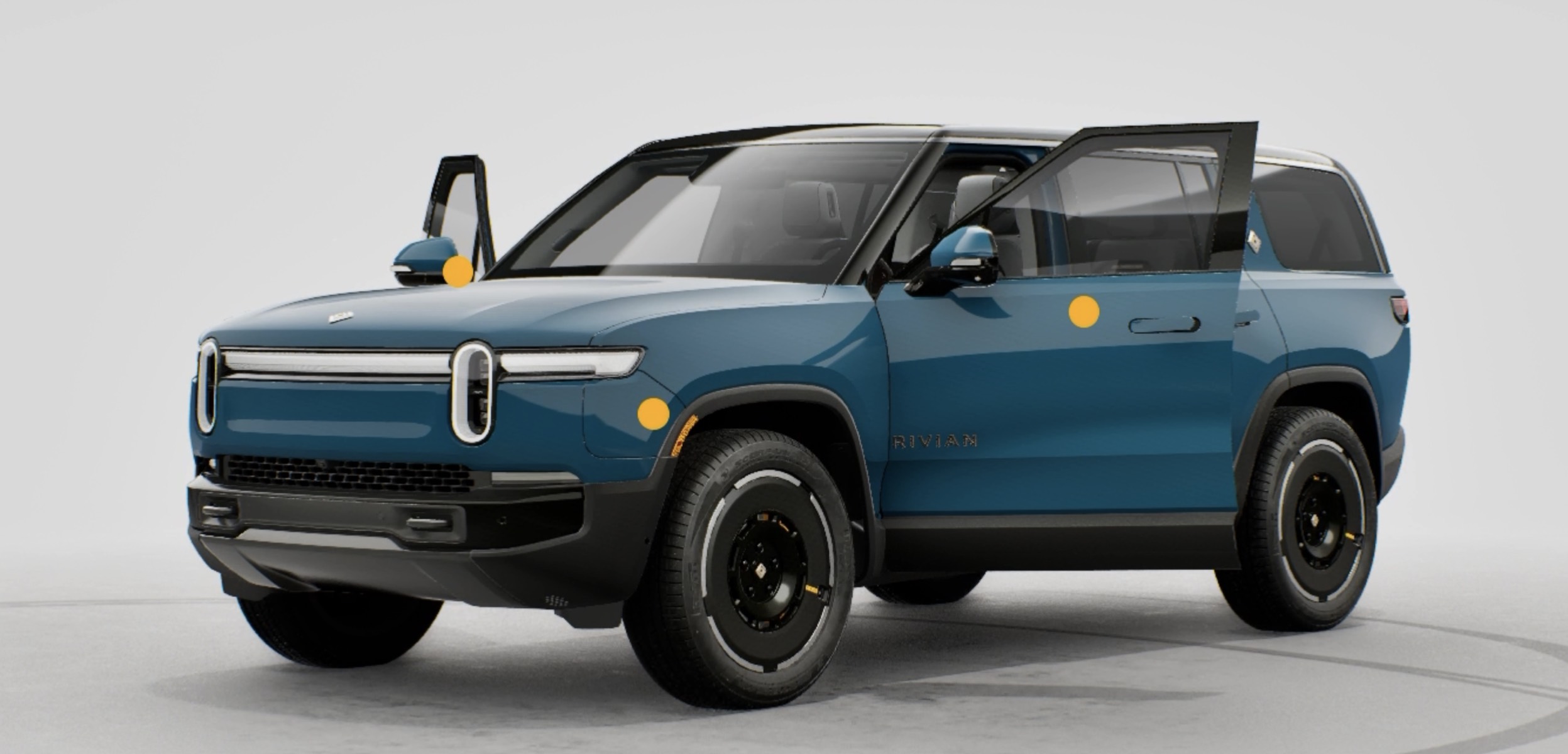
Rivian quietly pushed a meaningful update to its website that’s easy to miss but worth checking out. The R1 configurator now has a “View in 3D” mode that lets you build out your vehicle in real time and spin a detailed 3D model around, zoom in on wheel choices, swap exterior and interior colors, and actually see what you’re configuring rather than just imagining it.
It sounds like a small thing but it’s one of those features you don’t realize you wanted until you’re 20 minutes deep into spinning a Limestone R1T around just to see how the dark wheels look from behind.
What makes it more interesting is that Rivian built this entirely in-house. I reached out to Wassym at Rivian, and he put it pretty simply: “We’re the only company who does that fully in house. I’m proud of the team.” That’s not nothing. Most automakers lean on third-party vendors for this kind of configurator tech, so doing it internally says something about the software talent Rivian has been quietly building out.
R2 support is coming soon too, which makes sense given how much configuration interest there is around that launch right now.
You can try it out over at Rivian.com. And if you’re seriously considering a purchase, use my affiliate link to earn up to 500 Rivian Reward points and 3 months of free Rivian Adventure Network charging.



Looks like they might be rolling this out in an A/B test? I tried and couldn’t find the view-in-3D button. I tried on 3 different browsers (FF, Safari, Chrome) and also on my phone.
Looks pretty cool from your video, though!
It’s working today!
I just looked at the R1S and R1T and it isn’t 3d. Just 3 still images for the paint and 2 for the interior, in both Chrome and Edge.
I even tried the Rivian app and 3d view is not available there either.
Nothing on phone, iPad or web for me, so it seems this isn’t widely deployed. Sounds nice though.