
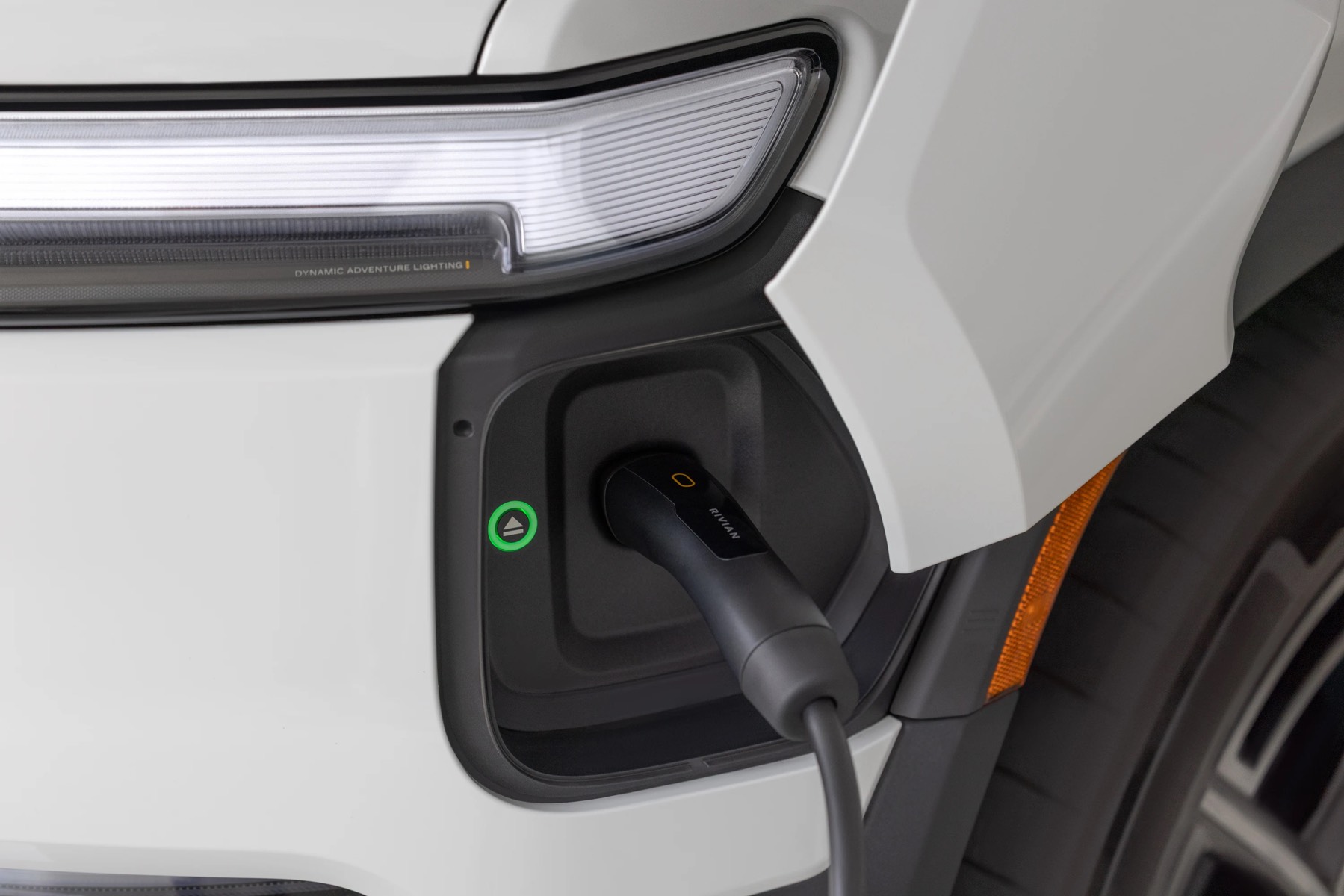
Rivian Plug and Charge works on exactly four networks: the Rivian Adventure Network, Tesla Superchargers, Electrify America, and IONNA. Rivian lists all four on its support page.
EA and IONNA are the newest. They arrived in 2025.38, the same release that pulled IONNA into the in-car nav and turned on live availability and speeds for EA.
Rivian Plug and Charge by network
All four bill to the card in your Rivian account. Connector and adapter notes assume a 2026 or newer NACS vehicle.
Two things get mistaken for this. EVgo Autocharge+ looks identical from the driver’s seat, but it’s EVgo identifying your car off the charging handshake and billing through its own account, and owners on the forums report that new enrollments have been flaky for a while now. I haven’t tried enrolling a vehicle recently so I can’t tell you where it stands today. ChargePoint keeps billing in the Rivian app, but you’re still the one starting the session.
Two catches. Plug and Charge trades away your Tesla membership discount and your EA pass in exchange for convenience, and RAN’s own time of use pricing is the only place right now where the rate you see is the rate you get. At EA you’re also usually digging out a CCS1 adapter before any of this happens.
I expect the list to sit at four for a while, because the handshake is a solved problem and the slow part is the commercial agreement behind each network. If a fifth shows up in a release, I’ll flag it for you all.


Thank you for this, but I don’t know about everyone,but in California, some Tesla chargers are Tesla only chargers. Found that out the hard way,
If it’s an older V2 Tesla Supercharger, you won’t be able to charger at it. If they appear on the Rivian navigation (V3 and V4) you can charge at them!
That’s true in Massachusetts too. Seems to be related to demand control by Tesla.
I think that it’s due to a different, proprietary protocol used by the older Superchargers. The newer ones use the CCS protocol, even though using the J3400 connector. (Someone correct me if I’m wrong.)
I just got a new R1T and my first attempt at a charging didn’t work.. I have payment mechanism set up went to tesla supercharger….tried multiple units, it tried to charge and then said “Unplug and try again”… those charger weren’t on the rivian map… am I missing a very obvious thing?
If it wasn’t listed on the navigation, it could be a V2 Supercharger which is not supported.
You can eaaily iddentify the old version 2 Siuperchargers by the much fatter cord.
Your comment “Plug and Charge trades away your Tesla membership discount”. Not understanding this point. If you go to a Tesla site and charge is it not all plug and charge or am I missing something. Just got my first EV /R1S last week Tuesday so learning a lot. Enjoying every second of it.
Congrats on your first EV! So you can purchase a membership with Tesla for discounted rates but if you do that, you have to select the charger in the Tesla app first before plugging in. If you just plug your Rivian in without touching the app, it’ll charge you the public rate.
Will it ever be possible to automagically connect membership rates from EV charge providers like Tesla with Rivian so you can plug and charge and receive those discounted rates?
The charger I tried to use was a version 4 Tesla charger. It did say on the nav screen Tesla only, but I did not read carefully. For the newbies, charge durring off peak times as much as possible, saves big time. I know I’m on California and peak rates at some chargers are 80 cents for peak and drop to 45 durring off peak.
Thanks, Jose, for what you do for us, Rivian owners. Very confusing and complex this charging thing. Now that many charging stations are available, discerning what works with what is a valuable, above table exegesis. In other words, it seems charging stations exploit the confusion to their advantage and bend over the Rivian owner.
I just did a 8 state 1800 mile road trip and had to charge 10 times. I purchased a Tesla membership prior to starting trip. I had a couple of issues. I followed Tesla directions and initiated the charge first on the app, selected the charger before plugging in. Twice the charge went thru Rivian at the higher rate. Also, at a RAN charger there was off peak pricing at 8pm. I plugged in at 745pm, thinking at 8pm the charger would switch to the lower rate. It doesnt! Lastly, I had never used Tesla chargers before and prefer not to but this trip forced me to. There seems to be an attitude from these Tesla owners that you dont belong there. These were large charge locations with plenty of open stalls but still received an attitude many times. Felt cultist to me
A cult is right. I’ve been on every R2 page on YouTube prior to purchasing mine just to gather all the details and the people telling you what a simpleton you are for buying anything other than Tesla are on every page. One, LuckyLenny, literally says the same thing verbatim on dozens of R2 sites. It’s really weird.
I hope that Rivian negotiates and adds more networks. Plug and charge is such a convenience. When I come to a ChargePoint, I have to remember to tap to start. (Not a biggie, but it’s so easy to forget and wonder why, once so used to plug and charge on most networks I use.). Walmart is installing a lot of fast charging stations in my area, and seems on a bit of a roll. Some rural spots have networks like ChargePoint or other.